Help
How immemoris works.
What are life anchors?
A life anchor is a placeholder on your timeline — a moment or milestone you want to remember but haven't fully fleshed out. Anchors are quick to add: just a title and an approximate date. They mark the shape of your life without requiring you to write everything down at once. When you're ready to go deeper, any anchor can be turned into a full memory — with your own recollections, photos, and contributions from the people who were there.
The difference between anchors and memories
Anchors are placeholders. They're the milestones you know matter — birth, school, marriage, moves — even if you're not ready to reconstruct them in detail. Memories are events with substance. A memory has your recollections, and potentially contributions from others who were there, photos, and eventually a woven narrative. Every anchor can become a memory whenever you're ready. Just click the anchor on your timeline, then "Convert to memory."
Sketching your life timeline
The life timeline gives you a visual overview of your life. To sketch it, use the guided interview — it walks you through common life topics (birth, school, work, family, moves, adventures) and helps you add anchors for the ones that matter to you. You don't need to complete every topic. Skip what doesn't apply. Add topics you didn't originally choose by clicking "Add another topic" on the interview's completion screen. You can always add more anchors later, or edit existing ones.
Getting started
Installing immemoris on your phone or computer
immemoris works as a web app, but you can install it on your phone or tablet for an app-like experience — a home screen icon, fullscreen view without browser chrome, and push notifications. iPhone or iPad (Safari only): Open immemoris.com in Safari. Tap the share icon at the bottom of the screen (the square with an up arrow). Scroll down and tap "Add to Home Screen." Tap "Add" in the top right. The immemoris icon appears on your home screen. Android (Chrome or Samsung Internet): Open immemoris.com. Tap the three-dot menu in the top right. Tap "Add to Home screen" and choose "Install" or "App" (not "Shortcut"). The icon appears in your app drawer and on your home screen. After installing, open immemoris from the home screen icon (not the browser) to get the fullscreen experience and enable push notifications.
Starting with a photo
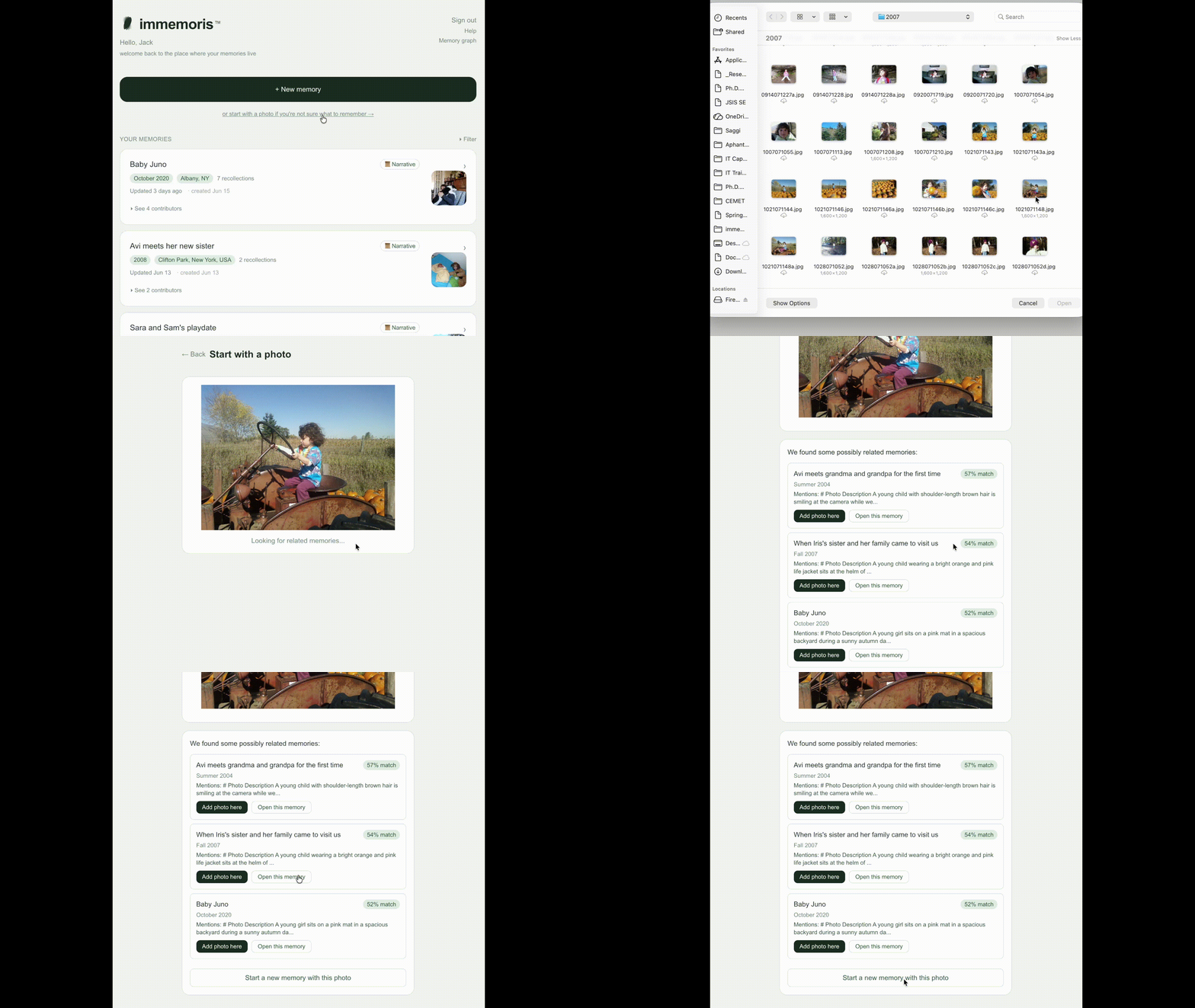
From the home page, click '+ New memory' and then choose 'Photo'. Upload the photo. immemoris analyzes what it sees to help you fill in the caption, date, and location. Review, edit if needed, and save. You can add more contributions later — text, voice, or invite others who were there.
Adding to a memory
Once a memory exists, you can keep adding to it whenever new details surface. Open the memory and use "Add your recollection" for text or audio, or "Find relevant photos" to upload images. There's no time limit — return weeks or months later and add more. For audio, immemoris transcribes what you record. The original audio is preserved alongside the transcript.
Inviting others
For memories you hold with others, click "Invite contributor" on the memory page and enter their email. They'll receive an email with a link to join. They can add their own recollections, photos, and audio — even if they didn't have an immemoris account before.
Guided recollection
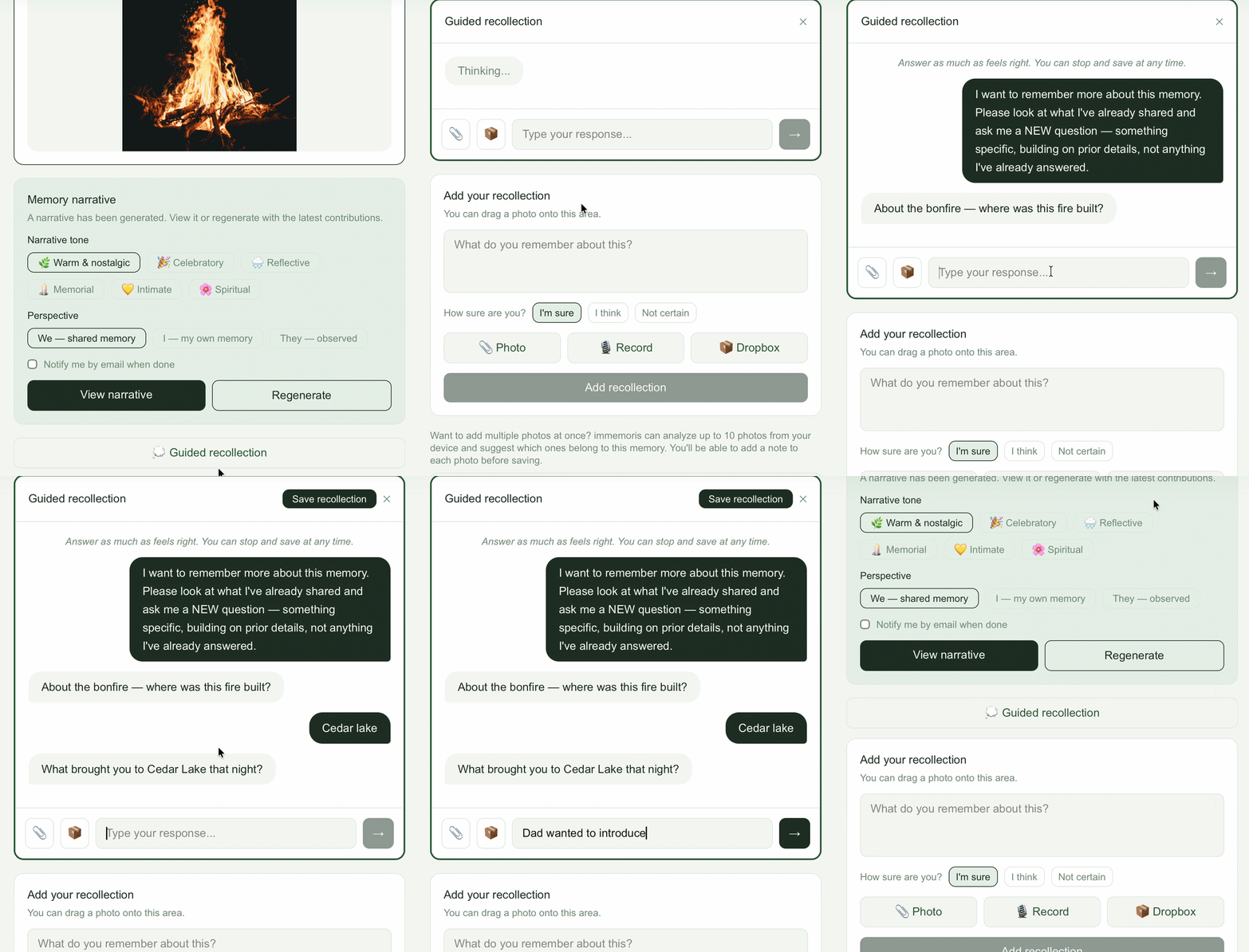
When you're stuck or want help remembering more details, click "Guided recollection." immemoris asks you questions based on what you've already shared — surfacing dates, places, sensory details, and connections. Answer as much as feels right. You can stop and save at any time. You can revisit guided recollection multiple times as more details surface. Each session builds on what was previously saved.
Generating a narrative
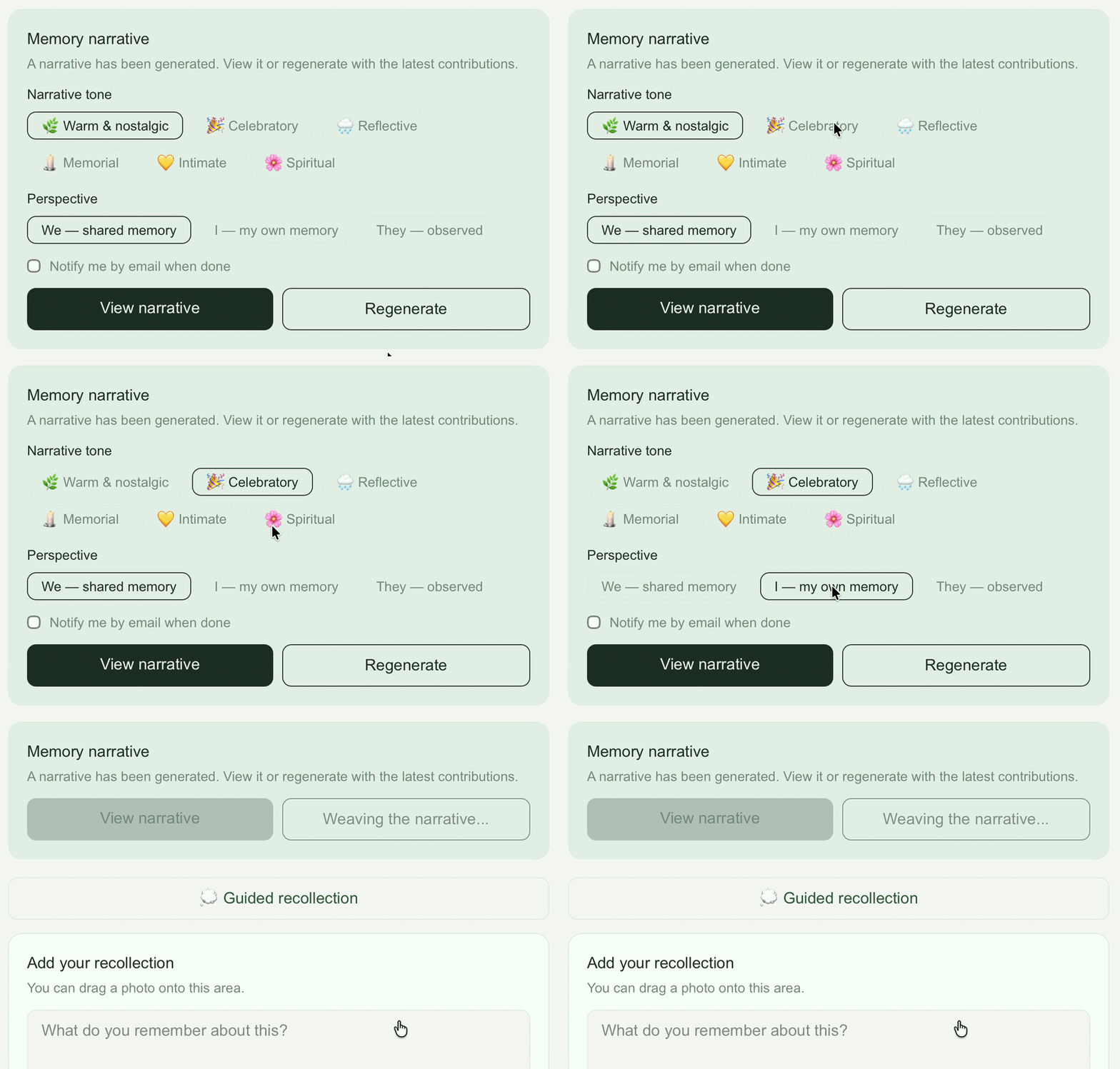
Once you have contributions and photos, click "Generate narrative." immemoris weaves everything into a single written memory. You choose: • Tone — warm, celebratory, reflective, memorial, or intimate • Perspective — singular (yours alone) or plural (we) The first generation takes 10-30 seconds.
Editing and rearranging
The generated narrative is a starting point. Click "Edit narrative" to revise individual paragraphs in your own words. Click the arrange icon to reorder paragraphs and photos. If you want to start over, click "Revert to AI version" to restore the most recent generation. Or change the tone or perspective and regenerate.
Listening to a narrative
Click "Listen" on the narrative page to hear it read aloud. Six voices are available.
Tagging people, pets, and places
Photos can be tagged to identify who or what's in them. Tags carry across memories — once you've tagged Grandma in one photo, you'll see her name suggested in others.
Locking a memory
When a memory is complete and you want to preserve it as-is, lock it from the memory page. Contributors can still read locked memories but no one — including you — can add or edit anything. Locking is reversible.
Common issues
My narrative didn't include something I contributed. Make sure the contribution is selected before generating. Below the generate button, you can review what's included. My email confirmation link didn't work. Check your spam folder first. If the link expired, request a new one by signing in.
Still stuck?
Email help@immemoris.com and we'll help.
Frequently asked questions
Is immemoris free?
Yes. immemoris includes a Free plan that will always remain free. If you need higher memory and photo limits or additional features, you can upgrade to Plus at any time.
Is my data private?
Yes. Your memories are only visible to you and the people you explicitly invite. We do not sell your data, we do not use it for advertising, and immemoris does not show ads.
Who can see my memories?
Only you and the contributors you invite by email. Each memory has its own invite list. Contributors can view and add to a memory, but only the owner can generate narratives, manage contributions, or delete the memory.
How do I add a recollection?
Open a memory and type what you remember in the text box. You can also attach a photo from your device, from Dropbox, from Google Drive, or record an audio recollection — your voice is transcribed automatically. immemoris can help you remember by asking guided questions based on what others have already shared and the photos already in the memory.
Can I install immemoris on my phone?
Yes. On iPhone or iPad, open immemoris.com in Safari, tap the share icon at the bottom, and choose "Add to Home Screen." On Android, open immemoris.com in Chrome, tap the three-dot menu, and choose "Add to Home screen." Once installed, immemoris opens in its own window and can send you push notifications when memories are updated.
Can the narrative be read aloud?
Yes. The owner can click Listen on any narrative to hear it read aloud. Six voices are available with different tones and feels. The owner picks the voice; contributors hear whatever the owner chose.
What happens when contributors remember the same thing differently?
The narrative preserves the disagreement explicitly rather than choosing one version. So if one contributor remembers the trip as July and another as August, the narrative will say so — 'Sarah remembered the trip as July; Maya was sure it was August.' This also applies within a single contributor's own contributions — if you remember the same event two different ways across recollections, the narrative acknowledges the inconsistency. Memory is unreliable; immemoris is built to honor that rather than smooth it over.
Can I choose how the narrative reads?
Yes. You can pick the perspective — first-person plural ('we') or first-person singular ('I') — and the tone (warm, celebratory, reflective, memorial, or intimate). The default is first-person plural with a warm tone. Some memories work better as personal ('my own memory of Grandma'); some as collective ('our trip to Sicily'). Pick what fits the memory.
How do I invite someone?
From any memory page, tap "Invite a contributor" and enter their email address. They'll receive an email with a link to join. Once they join, they can add their own recollections and photos.
How do I select which contributions and photos go into the narrative?
On the memory page, each recollection and photo has a checkbox. Select the ones you want included. The narrative will be generated from your selection.
Can I edit the narrative?
Yes — you can edit the narrative paragraph by paragraph. You can also use Arrange mode to drag paragraphs to a new order, move photos between paragraphs, or pull photos out into More Photos. If you regenerate and prefer the previous version, you can roll back with one click.
Can I manage or remove contributions?
Yes — as the memory owner, you can archive contributions (hiding them from the memory and narrative without deleting them permanently) or delete them entirely. Archiving is reversible; deletion is not.
Can I delete a memory?
Yes — as the owner, you can delete a memory entirely. This removes all contributions, photos, and narratives associated with it. This action cannot be undone.
Can I use immemoris alone, without inviting anyone?
Yes. Many memories are best held by one person — what you saw, where you stood, the small details only you noticed. For those, immemoris becomes a place to gather fragments over time, surface what's faded, and shape it into a written memory you can return to. Other memories belong to several people. When yours does — and when the people who shared it are still reachable — you can invite them to add what they remember. immemoris weaves the pieces together. When other participants aren't reachable (a parent who passed away, an estranged family member, a trip with people you've lost touch with), you can still build the memory alone, adding what surfaces over time. The collaboration is simply with your future self.
Can I transfer ownership of a memory?
Yes. As the owner, you can transfer ownership to any contributor on the memory. They'll need to accept before the transfer completes — you can also cancel a pending transfer before they act. After acceptance, you become a regular contributor and the new owner gains all owner privileges. We think of this as bequeathing a memory, useful for designating who manages it after you.
What are the limits?
On the Free plan, you can create up to 5 memories of your own, be invited to up to 10 shared memories, and set up to 10 life anchors. Each memory supports up to 5 photos, with up to 3 photos used per narrative generation. You can invite up to 3 contributors per memory and generate up to 2 narratives per memory. Voice contributions are limited to 30 seconds. On Plus, you get 25 owned memories, unlimited shared memories, unlimited life anchors, 20 photos per memory, up to 10 photos per narrative generation, unlimited contributors, unlimited narrative generations, and 3-minute voice recordings.
What happens to my memories if I stop using immemoris?
You can save your narratives as keepsake PDFs at any time. You can also delete a memory entirely if you ever want to. We will never delete your memories without notice.